
Introduction
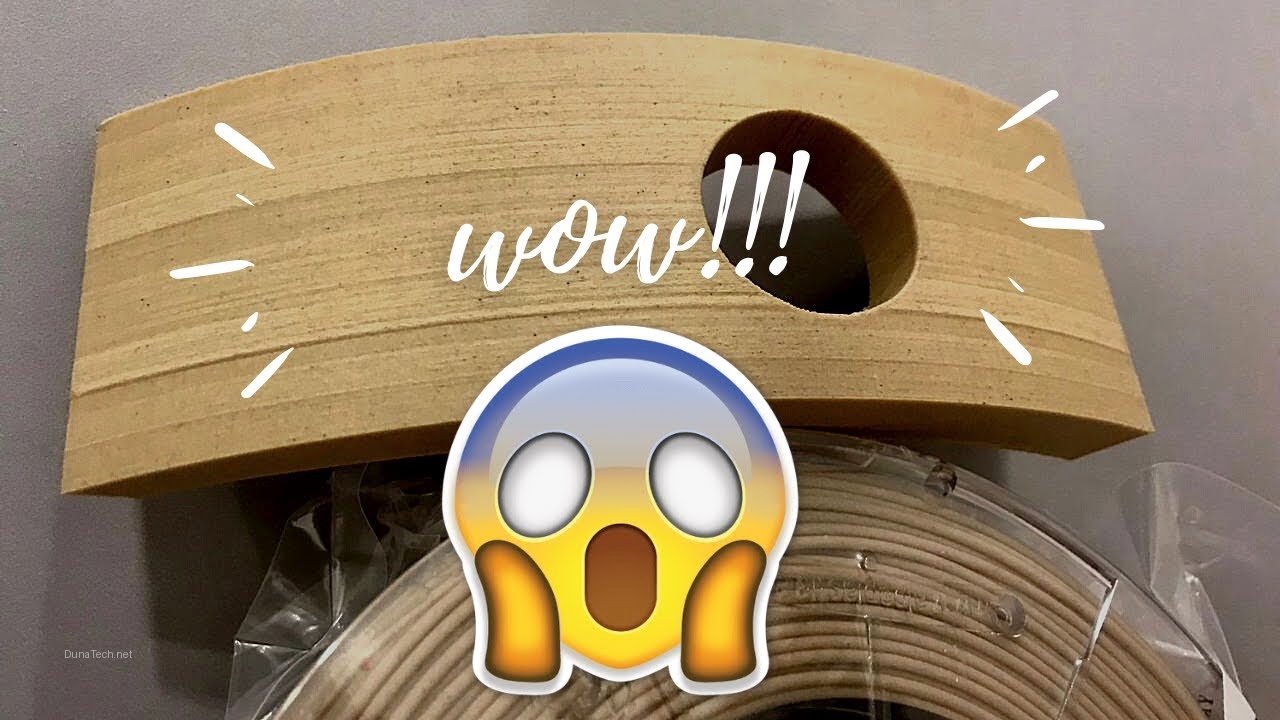
After testing more than five brands of 3D wood filament in our DunaTech workshop, we realized that not all of them are equally reliable, especially on printers like the Witbox. Some produce stunning finishes with a real wood look, while others cause constant nozzle clogs. Today, I’ll explain everything you need to know to choose, configure, and print with this type of material on your Witbox. But the big question is: is buying wood 3D filament for the Witbox really worth it? After dozens of test prints, I can tell you that yes—if you pick the right filament and dial in your settings, the results can rival expensive woodworking projects. Let’s break down exactly what you need to know.
Types of Wood Filament
There are various compositions of wood filament on the market, but not all are suitable for the Witbox or any FDM printer. Here are the most common types:
– **PLA with wood particles:** The most popular and easiest to use. It contains around 30% wood and the rest is PLA. Works well with standard temperatures (190-220 °C).
– **Hybrid filament (wood + polymers):** Ideal for finer details, although it requires more precise temperature control.
– **High wood concentration filament (>40%):** Produces more natural finishes but tends to wear out brass nozzles quickly. Hardened steel nozzles are best for this type.
In my tests, PLA with wood particles was the most stable on the Witbox. However, **beware of cheap brands**: some leave residues that clog the nozzle after several hours of printing. For a Witbox, I’d stick with filaments that list the wood content clearly—anything above 40% needs a hardened steel nozzle right out of the gate. Also, check the particle size: finer wood dust (under 50 microns) flows much better through the Bowden tube of the Witbox. If you’re printing decorative items like vases or coasters, a 30% wood PLA gives that warm, tactile finish without the headache.
How to Print Wood Filament on a Witbox?
To avoid issues, follow these key settings we tested on our Witbox. The short answer: set your nozzle to 205 °C, use a hardened steel 0.4 mm nozzle, and slow down to 40 mm/s. That’s the sweet spot for most wood filaments on this printer.
1. Adjust the nozzle temperature
– Set it between **200 °C and 210 °C** for standard PLA wood filaments. Some brands may require lower temperatures; check the manufacturer’s specifications. I’ve found that starting at 205 °C and tweaking up or down by 5 °C based on the first layer gives the best results. If you see stringing, drop the temp; if the filament won’t stick, raise it slightly.
2. Use the right nozzle
– **Hardened steel nozzle:** Recommended to prevent wear. Wood particles are abrasive.
– Minimum diameter of **0.4 mm**. Using smaller nozzles may lead to clogs. I’ve tried 0.3 mm nozzles on the Witbox—don’t do it. The wood fibers jam almost instantly. Stick with 0.4 mm or even 0.6 mm for larger prints.
3. Printing speed
– Reduce speed to **30-50 mm/s**. In my tests, higher speeds resulted in uneven finishes and nozzle issues. For detailed models, I drop to 35 mm/s; for simple shapes, 45 mm/s works fine.
4. Filament storage
– Store the filament in a dry place and use a desiccant. Wood absorbs moisture easily, which affects print quality. I keep my wood filament in a sealed box with silica gel—if you hear popping sounds during printing, it’s moisture boiling off. Dry it at 45 °C for 4 hours in a filament dryer.
5. Flow settings
– Increase the **flow rate to 110%-115%**. This helps compensate for variations in filament density. Wood filaments often have inconsistent diameter due to the wood particles, so bumping up the flow ensures solid layers without gaps.
Common Issues and Solutions
Even with perfect settings, wood filament on a Witbox can throw curveballs. Here’s how to tackle the three most frequent problems I’ve encountered.
1. Nozzle clogs
This is the most common issue. If the filament clogs:
– **Clean the nozzle** using a specialized 3D printer needle. I use a 0.35 mm acupuncture needle—works like a charm.
– Reduce the printing speed and increase the temperature by 5-10 °C. If clogs happen mid-print, it’s often because the wood particles settle in the heat break. Try a “cold pull” with nylon filament to clear debris.
2. Uneven finishes
Is your print showing darker areas or uneven lines?
– This is often caused by poor filament mixing. Switch to a brand with a better reputation, such as ColorFabb or FormFutura. Also, check your retraction settings—too much retraction can pull wood particles into the nozzle, causing inconsistent extrusion. Set retraction to 1-2 mm at 30 mm/s.
3. Warping or deformation
Although PLA with wood has less warping than other materials, it can still happen:
– Use a heated bed at **50-60 °C** and apply painter’s tape to improve adhesion. For larger prints, add a brim—5 mm wide is usually enough. If the corners still lift, try a glue stick on the build plate.
FAQ
Can standard brass nozzles be used?
Yes, but it’s not ideal. Wood particles wear out brass faster. I recommend investing in hardened steel nozzles. A brass nozzle might last 200-300 grams of wood filament before the hole enlarges, ruining print quality. Hardened steel lasts 10x longer.
What filament brands do you recommend?
In our tests, the best brands were **ColorFabb WoodFill** and **FormFutura EasyWood**. Both offer the perfect balance between durability and wood-like appearance. For budget options, eSun Wood PLA works decently on the Witbox if you dry it first.
Is a heated bed necessary?
Not always, but it improves adhesion and reduces the risk of warping. If your Witbox has a heated bed, set it to 50 °C. Without a heated bed, use blue painter’s tape and a brim—I’ve printed small parts like keychains without issues.
Can I sand or stain wood filament prints?
Absolutely. That’s one of the best features—you can sand, drill, and even stain wood PLA prints. Use fine-grit sandpaper (220-400) for a smooth finish, then apply wood stain for a deeper color. Just seal it with polyurethane afterward to prevent moisture damage.
Conclusion
Printing with wood filament on your Witbox can deliver spectacular results, as long as you correctly adjust the settings and use quality materials. After testing various configurations in our workshop, we’ve found that PLA with wood particles is the best option to avoid issues. By following the tips in this article, you’ll avoid clogs and achieve prints that look like genuine wood. Is it worth it? For decorative items, gifts, or prototypes that need a natural feel—absolutely. The extra effort pays off in unique, tactile prints that stand out from standard PLA.
— The DunaTech Team